
Your story. Your hero. Manga pages in minutes.
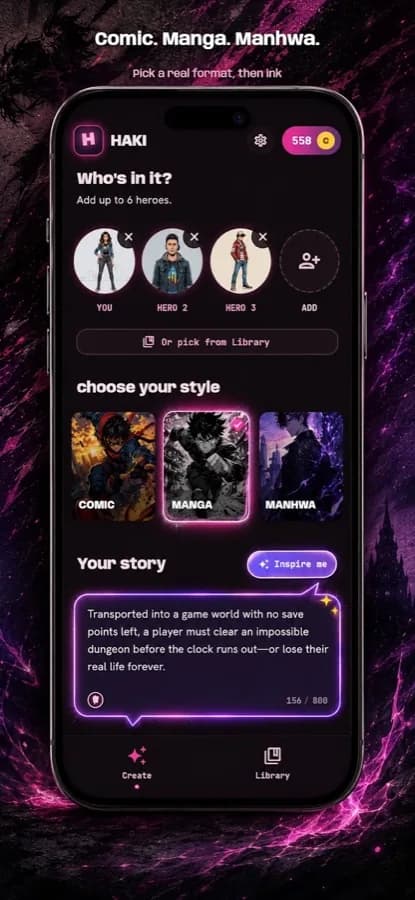
Haki turns your stories and photos into real multi-panel pages. Script your vision, add a face for your cast, pick a style, and generate pages you can edit, save and continue.
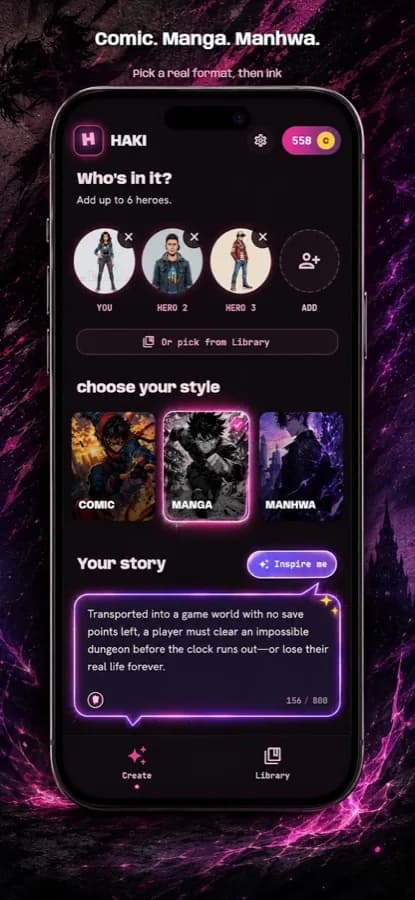
Pick your visual DNA.
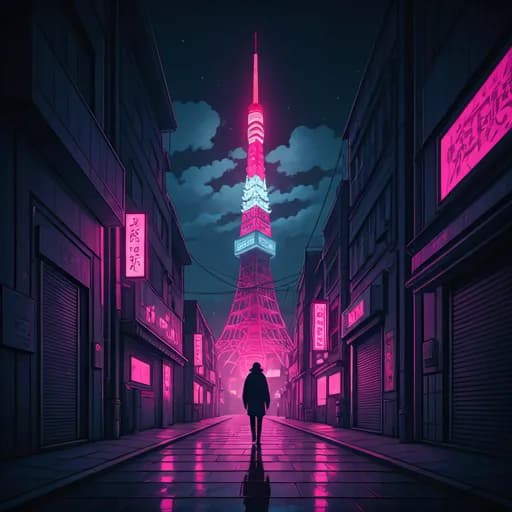 Cyberpunk · page 1
Blank page to full page in four taps.
- 01Script the sceneDescribe what happens. One sentence is enough; a paragraph is better.
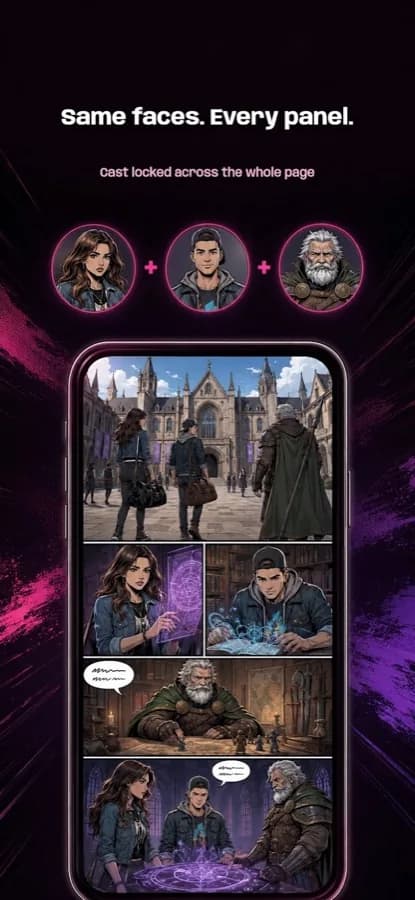
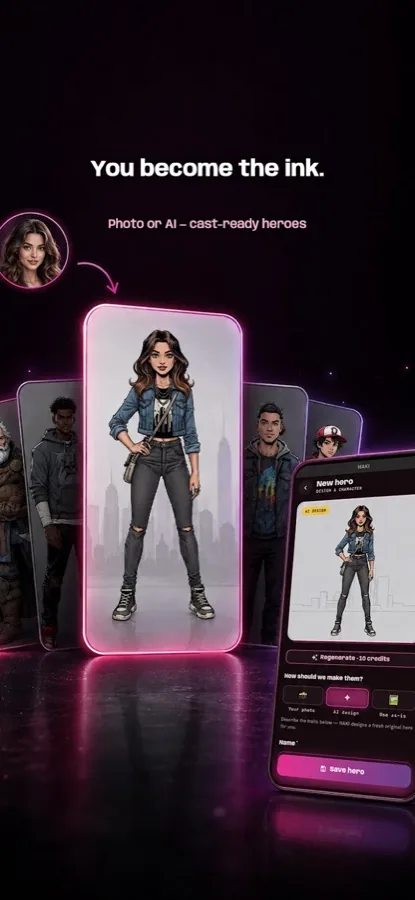
- 02Build your castA photo, a name, a role, a look. Haki keeps the same faces across every panel.
- 03Pick a visual DNAComic, manga or manhwa, then a style and a genre, from action to isekai.
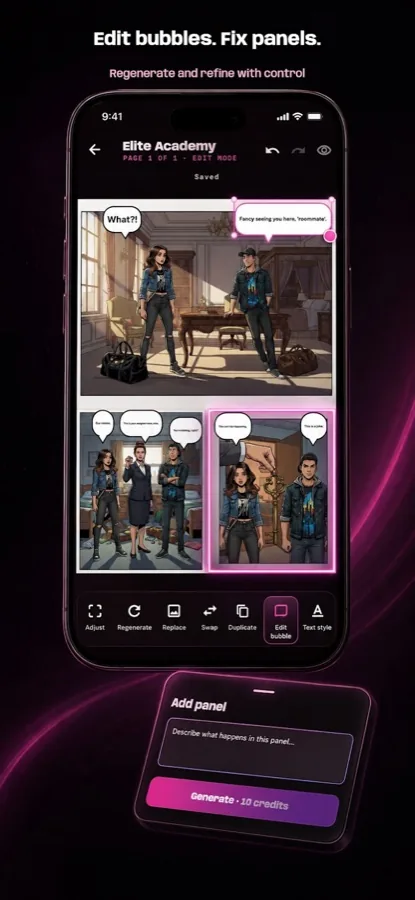
- 04Generate and continueFull panels with dialogue and pacing. Edit bubbles, save, write the next page.
Everything a mangaka needs. Nothing they don't.
From the store listing
Google Play screenshots · scroll sideways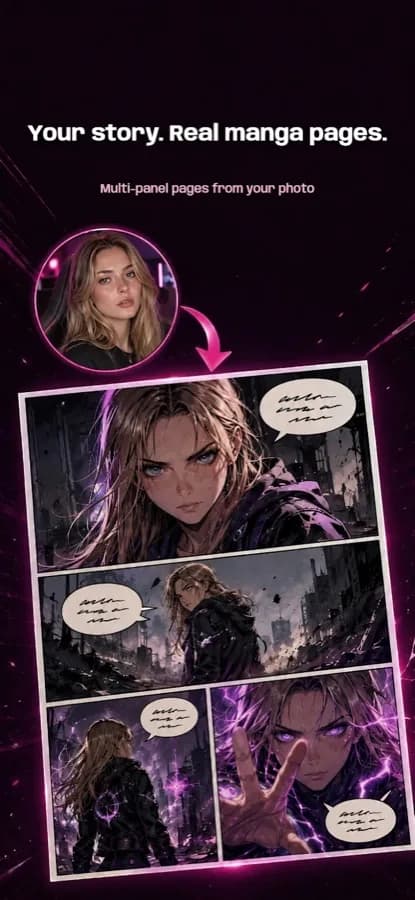
Questions about Haki
How can I make my own manga with AI?
With Haki you describe the scene, define your protagonist with a photo, name, role and look, and pick comic, manga or manhwa plus a genre. Haki generates full multi-panel pages with dialogue that you can edit, save and continue.
Can Haki keep the same character across panels and pages?
Yes. Your cast is defined once and Haki reuses the same faces in every panel. When you continue the story, new pages keep that continuity.
Can I turn a photo of myself into a manga character?
Yes. Add a photo when you build your cast and Haki draws that person as the hero of your pages in the style you chose.
Which manga styles and genres does Haki support?
Visual styles include Shonen, Seinen, Shojo and Cyberpunk, and genres include Action, Fantasy, Romance and Isekai. You can also choose comic or manhwa formats.
Can I edit speech bubbles or regenerate one panel?
Yes. You can change the dialogue, regenerate a single panel and keep the rest of the page. Every chapter is saved in your library.
Related reading
How to Make Your Own Manga with AI and Keep Characters Consistent
Write a short scene, define your protagonist once with a reference photo, lock one style, then generate and continue page by page. A step-by-step workflow for AI manga, manhwa and comics with consistent characters.
How to Choose an AI Manga Comics Generator
Pick an AI comics app for story continuity, not one-shot pretty panels. Prioritize script-to-page flow, a protagonist that stays consistent, style control, and the ability to save, download, and continue the narrative.
More from BMNova
All seven apps →


Your first page is one tap away.
Free to download. Questions, early access or partnerships: contact@bmnova.com